What a Comprehensive Expense Tracker Template Brings to Your Financial Life
In today’s fast-paced world, keeping a meticulous record of your spending is more than a good habit; it’s a cornerstone of financial wellness. Yet, for many, the act of tracking expenses feels daunting—a messy mix of receipts, scattered notes, and half-used spreadsheet columns. This is where a professionally designed Expense Tracker template transforms chaos into clarity. Unlike a simple notebook or a blank document, a dedicated tracker provides a structured, intuitive framework, turning financial logging from a chore into a streamlined, empowering practice.
Beyond Spreadsheets: The Purpose of a Structured Tracker
The core purpose of an Expense Tracker is to provide a consistent, categorized system for recording every financial outflow. While digital apps offer automation, a physical or printable tracker engages you actively in the process, fostering greater mindfulness about your spending habits. It serves as a single, authoritative destination for cash expenditures, credit card payments, recurring bills, and incidental purchases. By committing details to a designed layout, you create a tangible record that is easy to review, analyze, and act upon. This active participation is key to moving from passive spending to active financial management.
The Anatomy of a Ready-to-Use Tracker Template
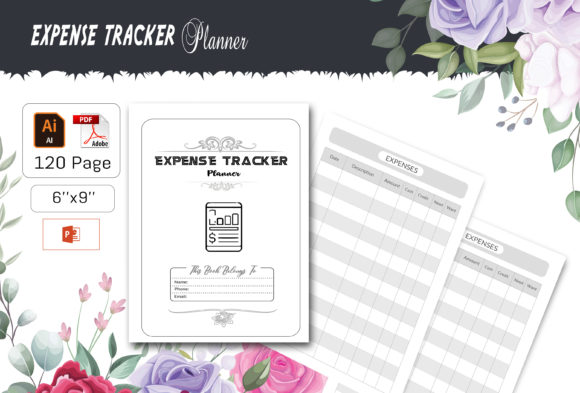
A well-constructed Expense Tracker template, such as one formatted for platforms like KDP (Kindle Direct Publishing), is engineered for both utility and flexibility. Let’s explore the typical components and features that define its value.
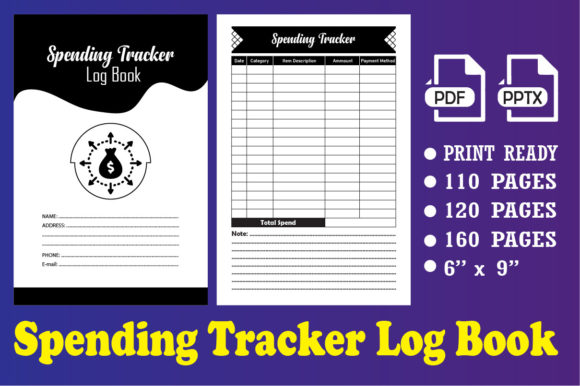
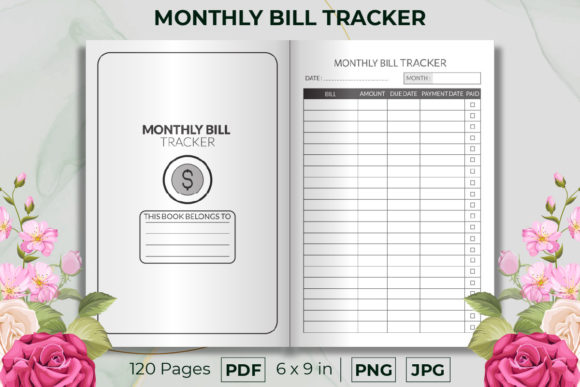
- Standardized Layout: A 6 x 9 inch file size is a popular, portable format, ideal for printing at home, in an office, or at a professional print shop.
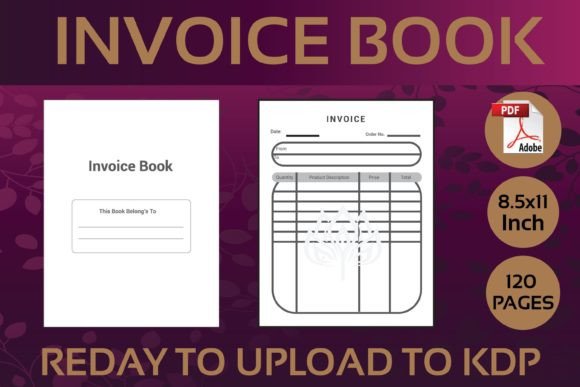
- Comprehensive Page Count: With 120 total pages, it offers ample space for tracking over extended periods, avoiding the need to constantly switch documents.
- Print-Ready Design: The inclusion of a ready-to-upload PDF file with NO BLEED means the template is technically perfected for professional printing or direct digital upload, ensuring margins and content appear exactly as intended.
- Editable Foundation: The provision of fully editable vector files (like Illustrator AI or EPS) and a Microsoft PowerPoint PPT file means you aren’t locked into a preset design. You can change colors, resize the 100 included vector shapes without quality loss, and personalize sections to fit your unique categorization needs.
- Quality Assurance: High-quality 300 dpi resolution guarantees that any printed version or included JPEG images are crisp and clear.
- Multi-Format Support: By including AI, EPS, PPT, PDF, and JPEG files, the template accommodates users with different software preferences and technical skill levels, from design professionals to everyday users.
Who Benefits from a Dedicated Expense Tracker?
The applications for a structured Expense Tracker are remarkably wide. It’s not solely for accountants or business owners; it’s a tool for anyone with financial goals.
Personal Finance Enthusiasts and Households
For individuals and families, tracking daily expenses is the first step toward budgeting, saving for a vacation, or managing debt. A template with clear categories for groceries, utilities, entertainment, and transportation simplifies the weekly log. The act of writing it down in a dedicated, aesthetically pleasing format can make the process feel more intentional and less burdensome.
Freelancers, Creators, and Small Business Owners
For those running their own ventures, separating personal and business expenses is crucial for tax purposes and profitability analysis. A customizable Expense Tracker allows for the creation of specific categories like “Client Projects,” “Software Subscriptions,” or “Marketing Costs.” The editable files mean you can tailor the tracker’s look and feel to match your brand, making it a part of your professional toolkit.
Students and Travelers
Students managing a tight budget or travelers documenting trip costs need a simple, portable system. A print-ready PDF that can be used digitally or printed as a compact booklet is perfect for these dynamic lifestyles. The ability to resize elements in the vector file also allows for creating condensed versions for specific, short-term projects.
Real-World Scenarios and Practical Applications
Imagine you’re planning a major home renovation. You could use the editable PowerPoint file of your Expense Tracker to create a special “Renovation Project” section, with categories for lumber, contractor fees, permits, and decor. By logging every receipt in this dedicated space, you gain a real-time view of your spending against your budget, preventing cost overruns.
Consider a freelance graphic designer. They might use the Illustrator file to add icons and adjust the color scheme of the tracker to reflect their creative style. They then print the 120-page PDF at a local print shop for the year. Now, every business-related coffee meeting, software purchase, and font license is recorded in a professional, personalized document, simplifying quarterly tax estimations and client invoicing.
Evaluating Your Needs: Is a Template Right for You?
Before adopting any tool, it’s wise to assess its suitability. A comprehensive Expense Tracker template is particularly valuable if:
- You prefer a hands-on, tactile approach to money management over fully automated apps.
- You need a system that is both printable and digitally editable for different situations.
- Your expense categories are unique or change over time, requiring customization.
- You value having a high-quality, archival record of your finances that isn’t dependent on a specific app’s continued service.
- You manage expenses for multiple domains (personal, business, hobby) and want them in one cohesive format.
It may be less suitable if you require real-time sync across devices, complex data visualization like live charts, or automatic importing from bank feeds. Its strength lies in structure, flexibility, and user-driven control.
Strengths, Considerations, and Getting Started
The primary strength of such an Expense Tracker is its foundational role. It provides the scaffold; you provide the data. This partnership encourages accountability and insight. The multi-format support is a significant advantage, offering a pathway for both immediate use (PDF) and long-term adaptation (vector files).
A consideration is the initial time investment. Personalizing the template via the editable files requires some familiarity with tools like PowerPoint or Illustrator. However, the included JPEG images and the ready-to-use PDF offer instant solutions for those who wish to start logging immediately without any modifications.
To begin effectively, start simple. Use the provided PDF for a month. Consistently log every expense. At the month’s end, review your spending patterns. Then, if desired, use the editable files to tweak the template—perhaps adding a category you found lacking or changing a color scheme to make it more engaging. The process evolves with you.
The Long-Term Value of a Consistent Financial Record
Ultimately, an Expense Tracker is more than pages and categories. It becomes a financial journal. Over a year, the 120 pages document not just where your money went, but also the story of your priorities, your goals, and your life events. This historical record is invaluable for planning future budgets, applying for loans, or simply understanding your financial journey. By choosing a well-designed, adaptable template, you equip yourself with a tool that can grow and change alongside your financial needs, providing clarity and control in a fundamental area of life.